Adding MCP Servers to a Claude Code CCR Setup
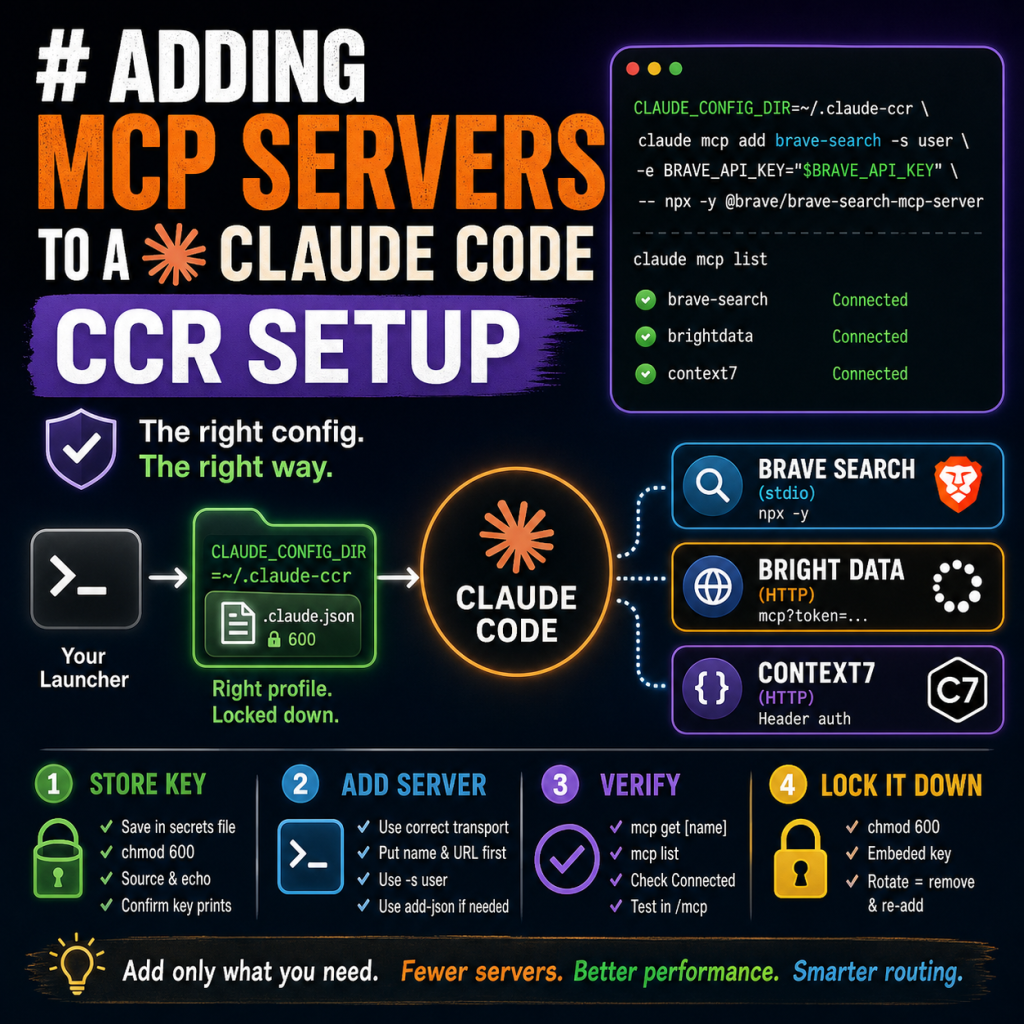
This guide covers how to add Model Context Protocol (MCP) servers to a Claude Code installation that runs behind a custom config profile (the difficulty-routing CCR setup). It follows the exact pattern used to add Brave Search, Bright Data Web Unlocker, and Context7. If your Claude Code uses a normal default config, you can ignore the CONFIG_DIR notes and use the commands as-is.
Why this setup needs special care
Claude Code stores MCP server registrations in a config file on disk. When Claude Code launches through a custom launcher that sets CLAUDE_CONFIG_DIR to a non-default profile (for example, [HOME]/.claude-ccr), any MCP server you register has to be written into that same profile. If you run a plain mcp add command, it writes to the default config instead, and the server will not appear in your routed sessions. This is the single most common mistake, and it produces a server that registers fine but never shows up when you run the in-session /mcp command.
Two rules prevent this:
- Prefix every management command with CLAUDE_CONFIG_DIR=[HOME]/.claude-ccr so it targets the right profile.
- Use the user scope (-s user) so the server is available in every directory, not just one project folder.
Optional: a helper to avoid the prefix
Add this function to your .bashrc so you never forget the config-dir prefix:
ccr-mcp() { CLAUDE_CONFIG_DIR=~/.claude-ccr claude mcp "$@"; }
After running source ~/.bashrc, you can type ccr-mcp add …, ccr-mcp list, and ccr-mcp remove … and each command automatically targets the CCR profile. The examples below show the full prefixed form so they work with or without the helper.
Step 1: Store the API key as a secret
Keep keys out of your shell history and config files where possible. Append the key to your secrets file and lock down its permissions:
echo '[SERVICE]_API_KEY=[your_key_here]' >> ~/.config/claude-secrets.env
chmod 600 ~/.config/claude-secrets.env
Before running any add command, load the secrets into your current shell so the variable expands:
set -a; source ~/.config/claude-secrets.env; set +a
echo "$[SERVICE]_API_KEY"
If that echo prints nothing, the variable did not load, and any add command that references it will silently store an empty key. This is the second most common mistake. Always confirm the key prints before adding.
Step 2: Add the server
There are two transport styles. Pick the one that matches the server.
Stdio servers (run locally via npx)
Use this for servers distributed as an npm package. The key is passed with -e (environment variable), and the command goes after the — separator:
CLAUDE_CONFIG_DIR=~/.claude-ccr \
  claude mcp add [server-name] -s user \
  -e [SERVICE]_API_KEY="$[SERVICE]_API_KEY" \
  -- npx -y [npm-package-name]
HTTP servers (hosted remote endpoint)
Use this for servers that expose a hosted URL. Important: the –header flag is variadic, meaning it consumes every token that follows it. You must place the server name and URL immediately after add, before any flags, or the parser will treat them as header values and report a missing name argument.
CLAUDE_CONFIG_DIR=~/.claude-ccr \
  claude mcp add [server-name] [https://endpoint-url] \
  --transport http \
  --scope user \
  --header "[HEADER_NAME]: $[SERVICE]_API_KEY"
If flag ordering keeps causing errors, the add-json form passes the entire configuration as one JSON argument and avoids positional parsing entirely:
CLAUDE_CONFIG_DIR=~/.claude-ccr \
  claude mcp add-json [server-name] -s user \
  '{"type":"http","url":"[https://endpoint-url]","headers":{"[HEADER_NAME]":"'"$[SERVICE]_API_KEY"'"}}'
The quoting pattern there breaks out of the single-quoted JSON to expand the shell variable, then resumes.
Step 3: Verify the connection
CLAUDE_CONFIG_DIR=~/.claude-ccr claude mcp get [server-name]
CLAUDE_CONFIG_DIR=~/.claude-ccr claude mcp list
The get output shows the stored key or header, which lets you catch an empty-key mistake. The list output should show your server with a Connected status. Finally, start a session with your launcher and run /mcp inside it to confirm the server and its tools appear in the routed environment.
Step 4: Lock down the embedded key
The add command writes the key as a literal string into the profile config file. Tighten its permissions:
chmod 600 ~/.claude-ccr/.claude.json
Note that the key is now embedded in that file. If you rotate the key later in your secrets file, you must remove and re-add the server (or edit the config directly) for the change to take effect.
Worked examples
These are the three servers added with this exact pattern.
Brave Search (stdio)
set -a; source ~/.config/claude-secrets.env; set +a
CLAUDE_CONFIG_DIR=~/.claude-ccr \
  claude mcp add brave-search -s user \
  -e BRAVE_API_KEY="$BRAVE_API_KEY" \
  -- npx -y @brave/brave-search-mcp-server
Bright Data Web Unlocker (remote, recommended)
The remote form avoids local package caching and node-path issues. The token goes in the URL for this server:
CLAUDE_CONFIG_DIR=~/.claude-ccr \
  claude mcp add brightdata "https://mcp.brightdata.com/mcp?token=$BRIGHTDATA_API_TOKEN" \
  --transport http \
  --scope user
Keep this server in default mode (do not set PRO_MODE) to stay on the free tier and avoid the slower polling-based scraper tools.
Context7 (HTTP with header)
CLAUDE_CONFIG_DIR=~/.claude-ccr \
  claude mcp add context7 https://mcp.context7.com/mcp \
  --transport http \
  --scope user \
  --header "CONTEXT7_API_KEY: $CONTEXT7_API_KEY"
Troubleshooting
Server registers but does not appear in a session: you wrote to the wrong config profile. Confirm you used the CLAUDE_CONFIG_DIR prefix that matches your launcher, then remove and re-add.
Stored key is empty (get shows [SERVICE]_API_KEY= with nothing after it): you did not source the secrets file before adding. Source it, confirm the echo prints the key, then remove and re-add.
Missing required argument name on an HTTP add: the variadic –header flag consumed your positional arguments. Move the server name and URL to directly after add, before all flags. As a fallback, use add-json.
Failed to connect on an stdio server: the package may resolve to a different node than your interactive shell when launched by Claude Code. Confirm the package runs by hand first, then if needed point the command at an explicit node or binary path instead of npx.
Failed to connect or empty tool list on an HTTP server: the client may not negotiate the HTTP transport correctly. Fall back to the stdio form of that server if one exists.
A note on how many servers to add
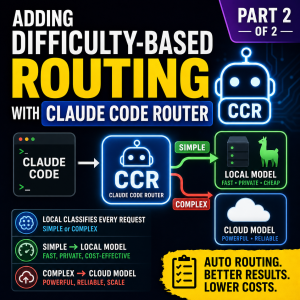
Every registered server injects its tool definitions into the context of each session. In a difficulty-routing setup, this has a cost on both tiers: it inflates every prompt sent to the local model, and smaller local models get less reliable at choosing among many tools as the count grows. Add servers that close a real gap (current docs, blocked-site access, live search) and hold off on the rest until you hit a concrete need.
About Author